
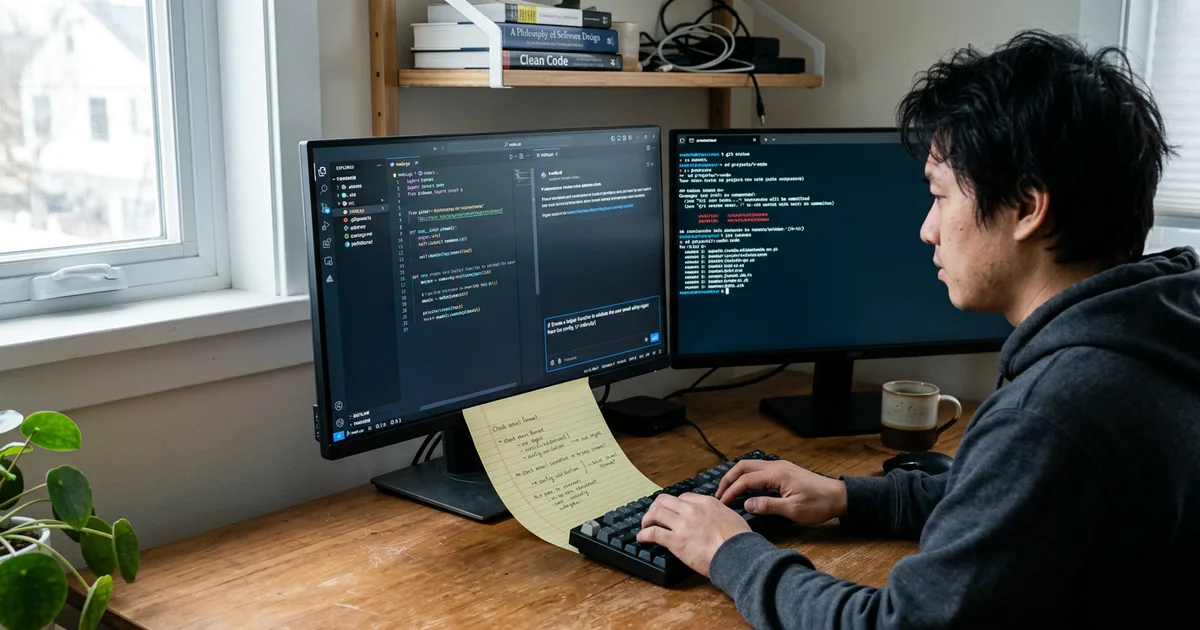
Write the goal first, then the stack it has to fit into, then the constraints it must respect, then how you will know it worked, and ask for one change small enough that you can check it. That order matters because the model has no view of your project beyond what you give it and what it can read: if you leave out the framework, the data shape or the expected error behaviour, it fills the gap with an assumption, and as Builder.io puts it, generic prompts produce generic code. Everything else in prompt writing is a refinement of those four parts: replacing vague adjectives with numbers, giving one worked example when the task is unusual, breaking a big ask into sequential steps, and moving the facts you repeat every time out of the prompt and into a rules or memory file where the tool reads them automatically.
Why the wording carries so much weight
A prompt is a request you make to an AI coding assistant, and the assistant answers it using whatever else it can reach: the file you have open, the chat so far, the project rules, the files it decides to read. That is the whole input. There is no shared history with you, no knowledge of the argument your team had about state management six months ago, and no instinct for which of the four formatDate helpers in the repository is the one anybody still uses.
So ambiguity is not a stylistic problem. It is a missing input, and a model that is missing an input does not stop and ask, it guesses. Builder.io’s guide to AI coding prompts makes the point with the plainest possible example: ask for “a dashboard component” and the assistant has no idea whether you use React or Vue, Tailwind or styled-components, so it invents a stack and writes competent code for a project that is not yours. The output looks fine. It is fine, for somebody else.
This is the part of how vibe coding works that you actually hold. You do not control the weights, and you only partly control what the tool retrieves. You control the request.
The four parts of a clear prompt
Almost every published set of guidance converges on the same shape. GitHub’s own best practices for Copilot put it as: break down complex tasks, be specific about your requirements, and provide examples of input data, outputs and implementations. GitHub’s blog on writing better prompts adds the ordering: give a broad description of the goal first, then list the specific requirements. A developer guide on DEV sets out much the same sequence: problem statement, language and framework, constraints and expected behaviour, related functions, then a request for smaller testable parts rather than one large ask.
Stripped down, a prompt needs four things:
- The goal, in one sentence, in terms of what the software should do rather than how you imagine it being coded.
- The stack and the existing code, named: language, framework and version, key libraries, and the specific components, hooks or utilities it should build on.
- The constraints, including error behaviour, response formats, performance limits, what it must not touch, and what it must not add.
- The check, meaning how you or a test will decide the change is correct.
If a prompt is missing one of the four, you can usually predict the failure. No stack, and you get plausible code in the wrong idiom. No constraints, and you get the happy path only. No check, and you get something that runs and nobody can say whether it is right.
Name the stack, or it will be named for you
The most useful single habit is front-loading technical context. Builder.io’s example prompt reads roughly: state your framework, language and styling approach, then create a dashboard component that extends our existing Card component and integrates with our GraphQL User query returning id, email and role. That is not a longer prompt for the sake of it. Every clause removes a decision the model would otherwise make blind.
The same applies to references. Avoid ambiguous words: GitHub’s guidance on prompt engineering for Copilot Chat warns against asking “what does this do” when “this” could be the current file, the previous response, or the block you have selected. Say the file name. Say the function name. In Cursor, much of the context lives outside the prompt in project rules and file references, and if you do not point at the relevant files, the data shape and the constraints, the model fills the gap with assumptions.
There is a limit to this. Anthropic’s guidance is to use the smallest effective prompt, because tokens and time cost something and an over-engineered prompt is not more accurate than a sufficient one. The test is not length. It is whether a competent stranger could do the task from what you wrote.
Replace adjectives with numbers
“Make it faster.” “Keep it fairly short.” “Clean this up.” These read like instructions and function as noise. The advice in Educative’s material on prompting best practices is to swap imprecise adjectives for concrete measures, and the analogy it uses is worth keeping: write the prompt as if briefing an intern doing the task for the first time. You would not tell an intern to make something better and walk away.
So instead of faster, write the budget: state the response time you need and the load it must handle. Instead of clean it up, write the rule: extract the validation into a pure function and keep the handler under 40 lines. Instead of handle errors properly, write the behaviour. A guide from Canarys on Copilot prompt engineering gives a good shape for that last one: add JWT authentication using an Authorization Bearer token, verify the signature with HS256, and return a 401 JSON response on failure. Language, mechanism, and expected output format, in one line.
Ask for one change at a time
Big prompts fail in a particular way. They produce a large diff, mostly right, with one wrong decision buried in the middle that you only find when something breaks a week later. Both GitHub’s docs and Xebia’s guide to prompt engineering with Copilot recommend breaking complex work into sequential steps, with Xebia distinguishing one-shot prompting, a single concise instruction for a straightforward task, from stepwise prompting where the problem is decomposed and built up.
The practical version: make the unit of work the unit you can verify. One route, one migration, one component, one bug. If you cannot say how you would check the result, the ask is still too big, and you should split it before you send it. This is the same argument as the one for keeping review small in why Accept All is the weakest habit in vibe coding. A prompt that produces a 40-line diff gets read. A prompt that produces 900 lines gets skimmed and accepted, which is not review.
For genuinely large features, Anthropic’s best practices for Claude Code suggest inverting the direction of the questions: have the tool interview you and write a spec before any implementation starts, and ask it the things you would ask a senior engineer. That is a good use of an hour, and it surfaces the decisions you had not made before they get made for you in code.
Say how the result will be judged, and rule out cheating
A prompt that ends with the expected behaviour is stronger than one that ends with the request. Give it the test, or describe the test, or tell it to write the test first and then satisfy it.
This matters more than it sounds, because models will optimise for the check you give them. Anthropic’s own coding guidance is explicit about it: tell the model not to hard-code solutions or write to the examples, using language along the lines of “write a solution that works for all valid inputs, not just the examples, and if any test seems incorrect or the task is ambiguous, explain rather than hard-code”. Read Anthropic’s prompting best practices alongside that. A function that passes three assertions by special-casing three inputs is not a bug the tool thinks it has introduced. You asked for green tests and you got green tests.
The same instruction is worth adding at the end of the loop: run the tests, run the formatter, and confirm nothing else broke. It is cheap to write and it moves the first check off your desk.
Move repeated context out of the prompt
If you find yourself typing the same three sentences about your stack into every request, that is not a prompting problem, it is a configuration one. Cursor keeps project rules in memory and reads referenced files directly, and Claude Code reads a project memory file, so the facts that never change should live there: the framework and version, the package manager, the test command, the directories that are off limits, the conventions you actually enforce.
A good rules file changes what a short prompt means. “Add a rate limiter to the login route, 5 attempts per minute per IP, 429 with a JSON body” is a complete instruction in a project where the stack and conventions are already written down, and a coin toss in a project where they are not. Community practice around Claude Code goes further and treats context as something to manage actively, clearing the conversation between unrelated tasks and keeping a written plan the tool can re-read, because a long chat carries stale detail as well as useful detail.
Which brings up the failure people hit most often in long sessions. Each message builds on the last, and by round five the snippet you pasted in round one may be well outside what the model is still attending to. Keep each prompt contextually complete enough to stand on its own: re-state the file, re-paste the function, say again what the constraint was.
Iterate, and know when to restart instead
The first prompt is rarely the right one, and GitHub’s guidance is simply to rephrase or split the request when the answer is unhelpful. Treat it as a conversation with a colleague who cannot see your screen. Tell it what was wrong with the last attempt in specific terms: it used the deprecated client, it swallowed the error, it added a dependency you do not want.
There is a point where correcting is worse than restarting. Once a conversation contains three rejected attempts, the rejected code is still in the context and still shaping the next answer. Starting fresh with everything you learned from the failures, written properly this time, is usually faster than a fourth correction. That is a judgement call, and it gets easier with practice.
None of this removes the review step. A well-written prompt improves the odds of a correct change; it does not tell you whether the change is correct, and the measured defect and vulnerability rates in AI-generated code are the reason that distinction matters. The rest of the working practice sits in vibe coding best practices and the failure modes in risks and limits, and the vocabulary used across those pages is defined in the glossary. The prompt is where you set the intent. The diff is where you find out what you got.
Written with AI assistance and reviewed under our editorial policy. Vibe coding changes quickly; details reflect sources current on 2026-09-06. Some passages are the author's opinion. Spotted an error? tell us.
Frequently asked questions
- How long should a prompt for an AI coding tool be?
- Long enough that a competent stranger could do the task from it, and no longer. Anthropic's guidance is to use the smallest effective prompt, because an over-engineered request costs tokens and time without being more accurate. If you are repeating the same stack details in every prompt, move them into a project rules or memory file instead.
- Should I tell the tool how to implement something, or just what I want?
- State the goal in terms of behaviour, then add the constraints that genuinely matter: the framework, the existing code to build on, the error handling, the response format. Prescribing the implementation line by line wastes the tool's usefulness, but leaving the constraints out means it invents them. The middle ground is what the published guidance from GitHub and Builder.io both describe.
- Why does my prompt work in a new chat but not in a long one?
- Because a long conversation carries stale context as well as useful context, and the snippet you pasted early on may no longer be shaping the answer. Keep each prompt complete enough to stand alone, re-stating the file and the constraint, and start a fresh session when you move to an unrelated task.
- Does a better prompt mean I can skip reviewing the code?
- No. A clear prompt raises the chance the change is what you asked for, but it is not evidence that it is correct or safe, and the measured vulnerability rates in AI-generated code are why. Ask for changes small enough to read, and read the ones where your judgement is the only real check.